Great News! Premium members can now receive tips from audience members using PlayItForMe! As a DJ, you work hard to keep the party going and keep your fans happy. Now, with PlayItForMe's new tipping feature, your fans can show their appreciation in a tangible way. Whether it's a small token of thanks or a substantial show of support, this feature allows your audience to show their gratitude in a quick and convenient manner.
Here's how it works: After submitting a request audience members can be prompted to leave a tip for the DJ. Fulfilling the tip is easy using 1-tap payments with Apple Pay and Google Pay. For DJs, our backend powered by Stripe makes it easy for you to get a deposit for your tips.
Click here to sign in and give it a try!
How to get started with tips!
First, sign up for a premium account. You can do this from our pricing page here. Then, navigate to your settings from the left hand side:
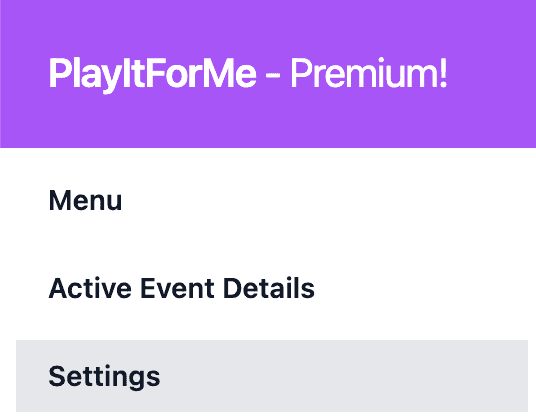
From there, click the blue button to set up tipping. You'll be prompted to Stripe's website where you'll be able to share your details so you can deposit the tips you've collected into your account.
After completing the onboarding steps you'll get two new settings in your settings page:
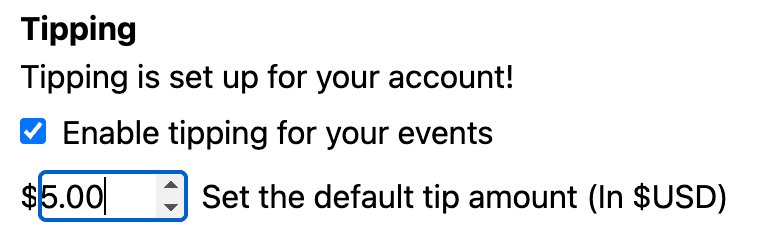
The checkbox enables or disables tipping for all your events. This is so that if you don't want to collect tips for any reason then you can disable and re-enable the tips at any time. Second, you can set the tip amount in USD. This will change how much the audience member is prompted to tip.
From the audience side, here is how the tip feature looks:
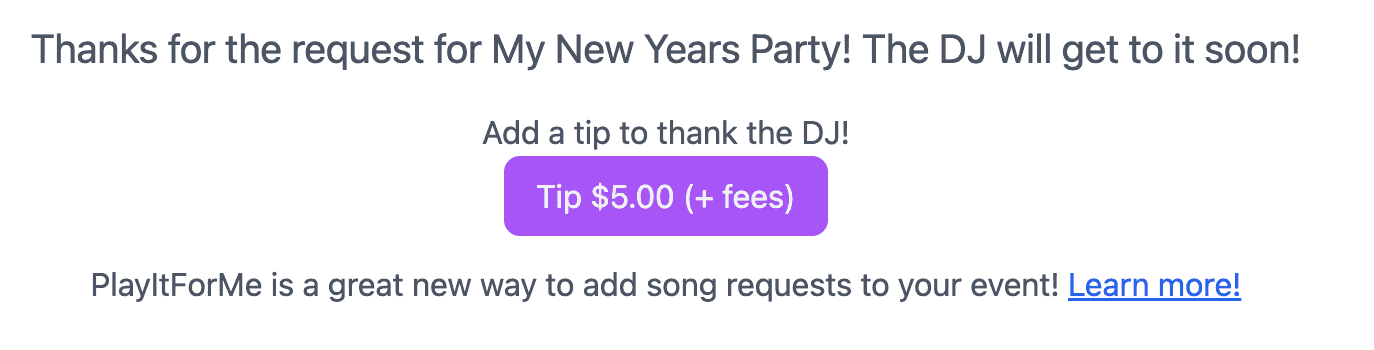
When audience members click the button, they'll be prompted to pay the amount indicated plus credit card fees. The amount will be deposited into your account and you'll be able to get a direct deposit for your tips!